Almost five years at Qovery, three major versions of the same dashboard, shaped by user feedback, session recordings, and stretches of using it myself. Each version made the previous one feel unfinished.
 2026
2026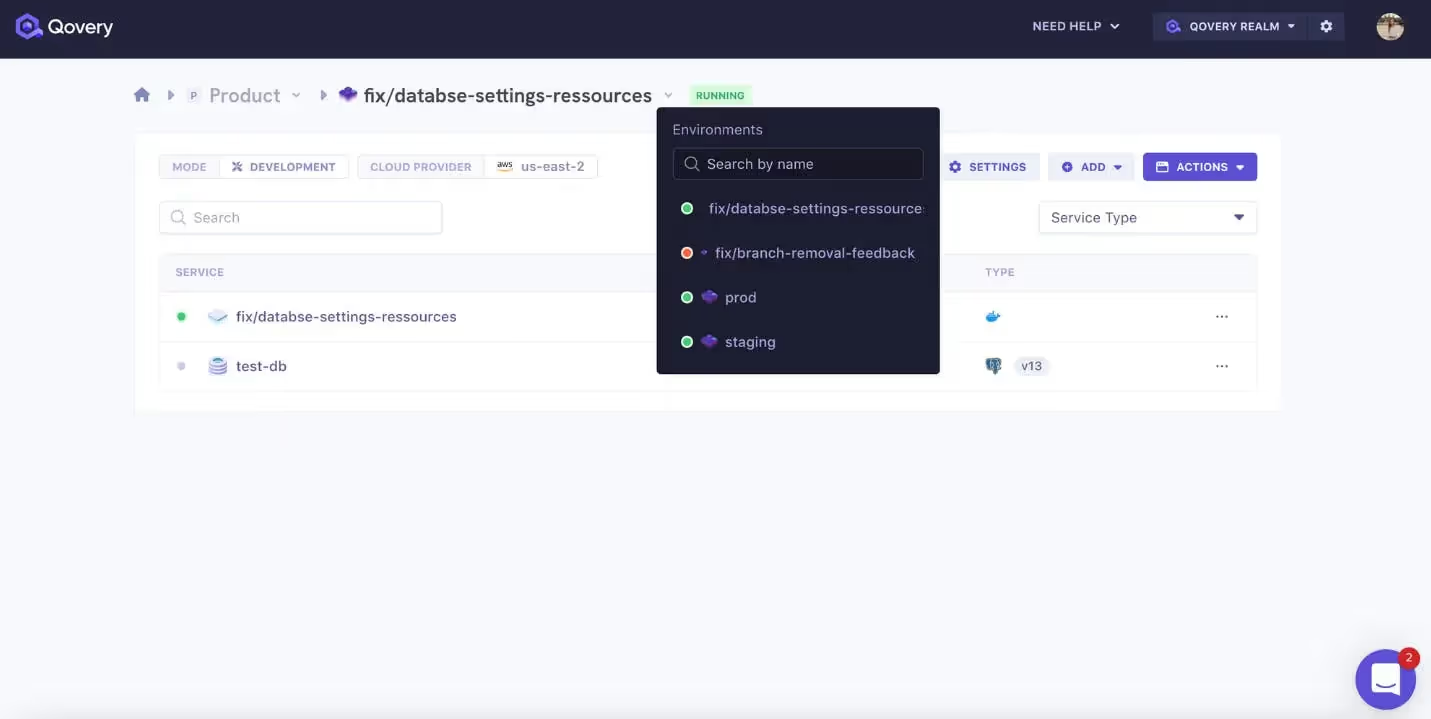
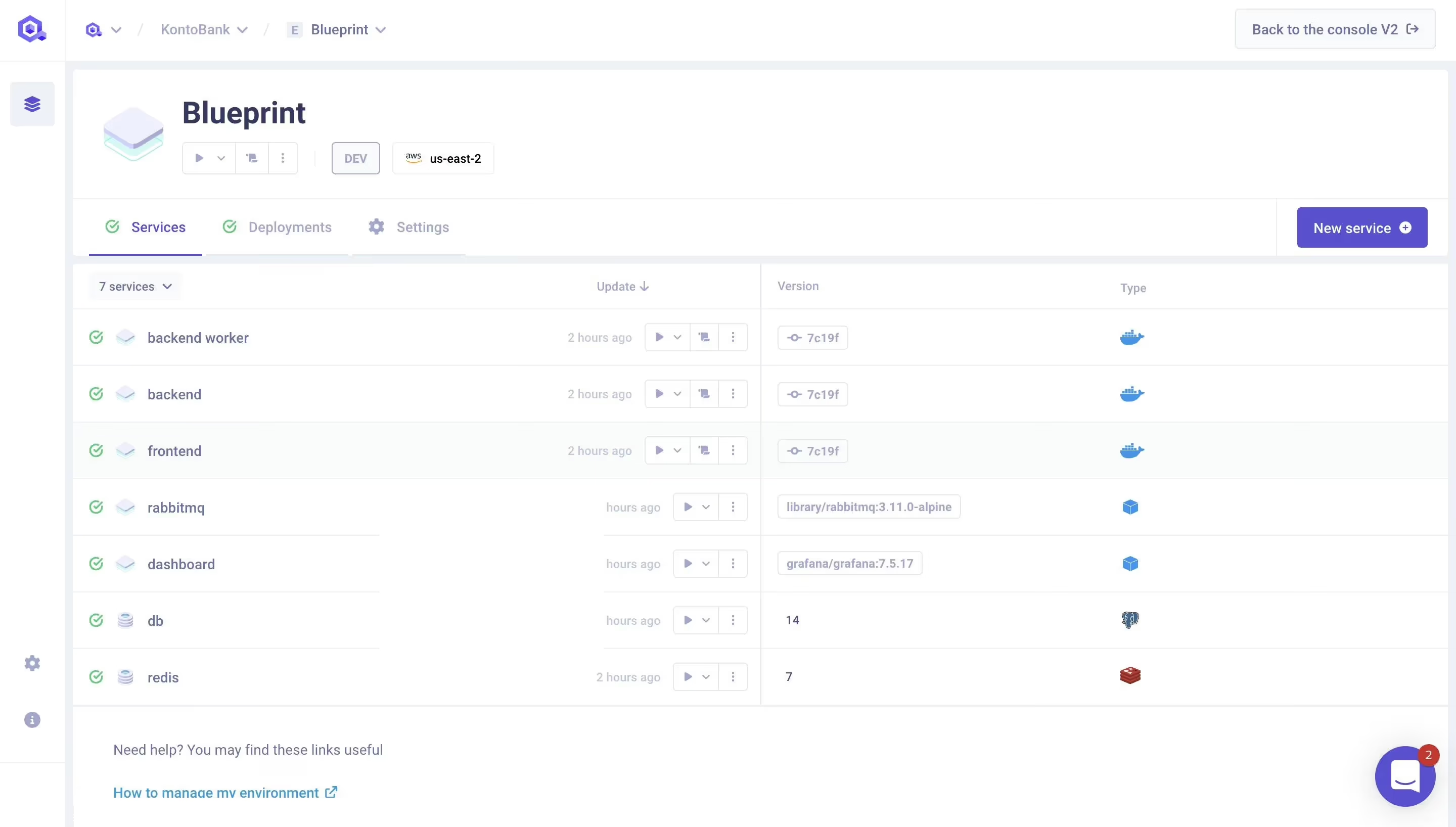
The first version mostly proves that an interface works. The versions after real use decide how it feels.
AI made first drafts cheap. You can generate a dashboard that looks complete in minutes, but it still has not been shaped by use. The rough edges only appear when people live in it: what moves too often, what waits too long, what asks for attention every time.
So the real question is: why do some interfaces feel right?
These details are small, but they repeat. An interface starts to feel right when it stops making people pay for the same tiny frictions over and over.
Stability, moving costs attention
Every time an interface shifts, the user’s eye has to find its bearings again, and that happens far more often than you notice.
Sorting, filtering, expanding, refreshing all happen constantly, and each shift takes less than a second, but that second is paid every time.
Filtering a table is where this becomes obvious. The data is correct, the code is fine, but the whole surface moves: rows disappear, heights change, the layout reflows.
Nothing is broken. It just costs a small amount of attention, every time.
In the table below, type a filter like job, then clear it. With Before selected, the table collapses and the columns jump as results change. With After selected, the rows stay put and the surface holds its shape. Switch between the two and watch where your eye has to travel.
Note: Interactive examples are easier to explore on desktop.
| Service | Environment | Type |
|---|---|---|
Dashboard | production | Application |
API | production | Application |
PostgreSQL | production | Database |
Data Export | staging | Job |
DB Migrate | production | Job |
Landing Page | production | Application |




Switch between Before and After to watch how the table moves as the results change
The fix isn’t just performance. It’s also discipline about what is allowed to move and what isn’t: preserving row height, keeping column widths stable, accepting empty space instead of collapsing it.
The clearest case I hit at Qovery was streaming logs. New lines arriving while you read would snap you to the bottom, moving the surface under you. We pause on scroll and show a "new logs" button instead, so your place holds. I wrote a whole article about it: Building a Performant Logs Interface.
Stable interfaces aren’t just more pleasant, but also less tiring to use.
Animation, polish becomes friction
On first impression, animations feel like polish. By the tenth time, they feel like waiting.
A 200ms transition is invisible the first time. By the fiftieth, it’s a delay you can feel. Animations don’t fade with use, they compound with frequency.
A sidebar is the cleanest example.
It’s not an exploratory surface: people click through it dozens of times a day, often with intent, almost never to look at it. The delay between intent and result is paid every single time.
Hover and click through the sidebar below a few times. Notice how each version feels after the fifth time.
Move through both sidebars a few times to compare how each one feels with repeated use
This is the point Rauno Freiberg makes: novelty diminishes with use, and what once felt like polish starts reading as friction.
The fix isn’t to remove all animations. It’s to recognize when a surface is for repeated use and treat speed as the actual feature. What looks like polish on a landing page becomes drag on a sidebar.
Flow, every path counts
A pleasant component never breaks your stride. That’s not one decision, but it’s dozens you never notice.
At Qovery, people often used the dashboard under pressure: a production issue, an obscure service error, something to understand or fix quickly. In those moments, good keyboard paths are part of the interface’s fluidity, not extra polish.
Take a combobox. It has four ways to drive it: typing, arrow keys, mouse, escape. Inside each one, more decisions. Where focus lands. What hover highlights. What selection does to the rest of the page.
Type to filter, move with the arrows, click, press escape.
Open the menu, filter the options, move with the arrow keys, then press Escape
What makes it feel coherent isn’t any single behavior. It’s a long list of small decisions that all match. The input stays focused, arrows loop through options, hover doesn’t override keyboard selection.
Most of these are invisible when they work, and become visible the moment one of them doesn’t.
What I’ve learned building these components is that the happy path is the easy part. The cost is in everything around it: every state (empty, loading, error, focused), every exit (escape, click outside, tab away), every keyboard path (tab, arrows, escape, enter). Miss one and the component still works, but it stops feeling like one piece.
The fix is rarely to build it yourself. Pick a library like Radix or Base UI that already handles those paths, then walk every one of them before shipping. A combobox you can’t reach with a keyboard isn’t a polished one missing a feature. It’s a different, lower-quality component.
Weight, every default adds to it
An interface can feel heavy without anything in it being wrong. The weight comes from defaults that each look fine in isolation.
The eye doesn’t read an interface element by element. It reads the whole surface at once, and what it perceives is weight: the cumulative mass of every border, every line of text, every detail sharing the same space.
A 1px border is the cleanest example.
On a Retina or high-DPI display it renders cleanly. But it’s more present than it needs to be. Reduced to 0.5px it does the same work, separating, without claiming attention.
The same goes for line-height.
On a single label it’s nothing. Across a table, a form, a sidebar, it accumulates. The whole layout reads as softer than it is.
Compare the same surface with default and refined density settings
Neither change fixes anything functional. They lower the visual mass, one default at a time.
The fix isn’t to redesign. It’s discipline about what you keep and what you override: dropping borders to 0.5px, tightening line-height on dense text, and questioning every default before it stacks.
One default is invisible, but the next nineteen aren’t.
Why some interfaces feel right
The pattern across all four is the same: a decision too small to notice once, paid every time the user touches it.
Stability, responsiveness, continuity, balance. None of them stand out alone. Together they decide how an interface feels.
The same logic runs in reverse: add a feature without reflecting on what it costs the rest, then another, then another. By the tenth, the interface isn’t better. It’s noisier.
Quality is the sum of small correct decisions. Noise is the sum of small lax ones. Same phenomenon, opposite sign.
All of this assumes the product is already worth refining. None of it matters before you have one: a week on 0.5px borders while users leave because onboarding is broken isn’t refinement. It’s avoidance.
The line between the two is hard to see from the inside, because both feel like craft. The check I use: can I trace this work back to a specific moment of friction I watched? If yes, it’s refinement. If no, I’m probably avoiding something harder somewhere else.
At Qovery, the work I’m proudest of isn’t what we shipped. It’s what we went back to, after watching people use it.
Most interfaces don’t feel wrong because something is missing. They feel wrong because nothing was revisited.
Thanks for reading!
If this one resonates with you, I'd love to hear your thoughts.
Send me a DM.
Special thanks to Yann for reviewing this and pushing it sharper.